
Smartlist Generator
You can find the Smartlist Generator in the top menu bar under
Utility➡Smartlist Generator
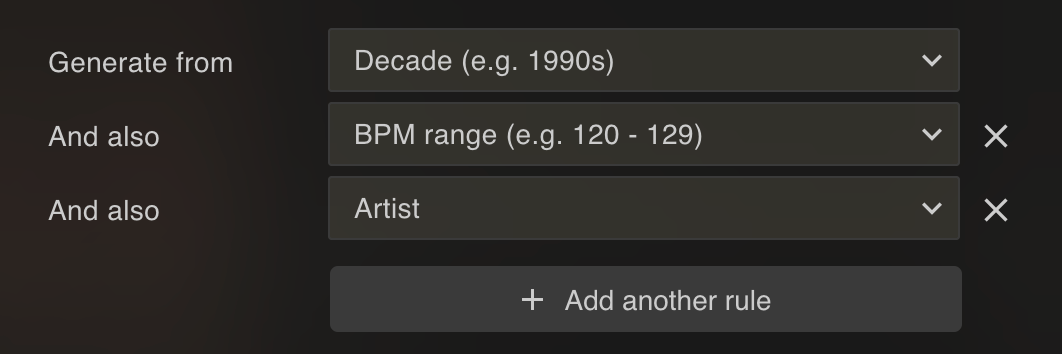
You can generate smartlists in bulk using the Smartlist Generator. It creates one smartlist for every value of what you choose. For example:
- One smartlist per artist, per genre or per label: choose that track field
- One smartlist per tag in a custom tag category
- One smartlist per decade (e.g. 1990s), BPM range (e.g. 120 - 129), duration, bitrate, file size or play count range
Choose what to generate from in Generate from. Lexicon shows how many smartlists will be created before you start. Press Generate to create them.
Combining rules
With Add another rule you can combine two sources. Lexicon then creates one smartlist per combination, for example one smartlist per decade and genre ("1990s + House", "1990s + Techno", and so on). Keep in mind that combinations can quickly add up to a very large number of smartlists. Lexicon won't generate more than 100,000 smartlists at once.
Where to find them
You will find the generated smartlists in the Smartlists folder inside the special Lexicon playlist folder, in a subfolder named after what you generated from.
The Smartlist Generator is safe to re-run, it won't double your already generated smartlists if they are still inside the Smartlists folder. If you move them out of there, then it will generate the same smartlists in that folder again.
The Smartlist Generator is available on the Essential and Ultimate plans.