
History
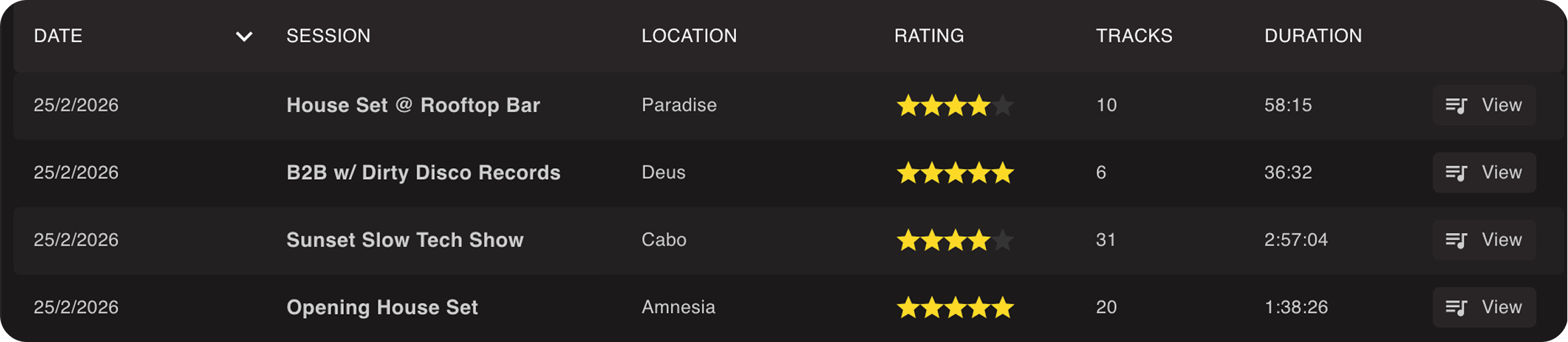
Lexicon shows all the history of your DJ app in one convenient place. You can reach History from the sidebar or from the top menu bar under Go ➡ History. Viewing History is free on every plan. The actions "Copy as text", "Delete session" and "Save as playlist" need the Ultimate plan.
Metadata
You can add a rating and location to each history set to keep track of them.
Snapshot
Lexicon makes a snapshot of your tracks for the history sets. This means that the information for those tracks is de-coupled from your library, so updating a track in your library will not update it in the history. So your history is a true historic snapshot of when the tracks were played.
Using history
You can save a history set as regular playlist to work on it further with Save as playlist. Since original tracks may have been deleted, Lexicon intelligently matches your tracks by filename and location with a priority system for best matches. This does mean it relies on the filename of the history track and your current tracks to still be the same.
You can also copy a full history set to your clipboard with Copy as text.
Automatically imported
History is automatically imported from any DJ app when you run an import from that DJ app. It doesn't matter if you do a full or playlist import, it always pulls in all history sets. History sets are not duplicated when importing. History sets are not shown in the import preview, you will find them on the History page after the import.
When you import a Pioneer USB drive, the history sessions from the CDJs are imported too.
Deleting history
Since DJ apps sometimes have bad history or from practice sessions, you can delete history sets easily. Lexicon remembers what you have deleted so when importing from your DJ app, it will not import those deleted history sets again.
You can also delete individual tracks from any history set.