
Lexicon 1.10 is here and it's one of the biggest updates yet! Over 1000 commits and 8 months of development went into this release, packed with major new features, a completely reworked statistics page, huge improvements to Find Duplicates and so much more. Let's dive in.
Serato 4.0 Support
The biggest addition in 1.10 is full support for Serato's new 4.0 database format. Serato recently moved from their legacy crate file system to a modern SQLite database, and Lexicon now fully supports both importing and exporting with this new format.
This includes streaming track support for Spotify and Beatport inside Serato, smart crate handling, external and network drive support on both Mac and Windows, playlist color import and export, and crate ordering preservation. If you use Serato, this is the update you've been waiting for.
Track Timeline
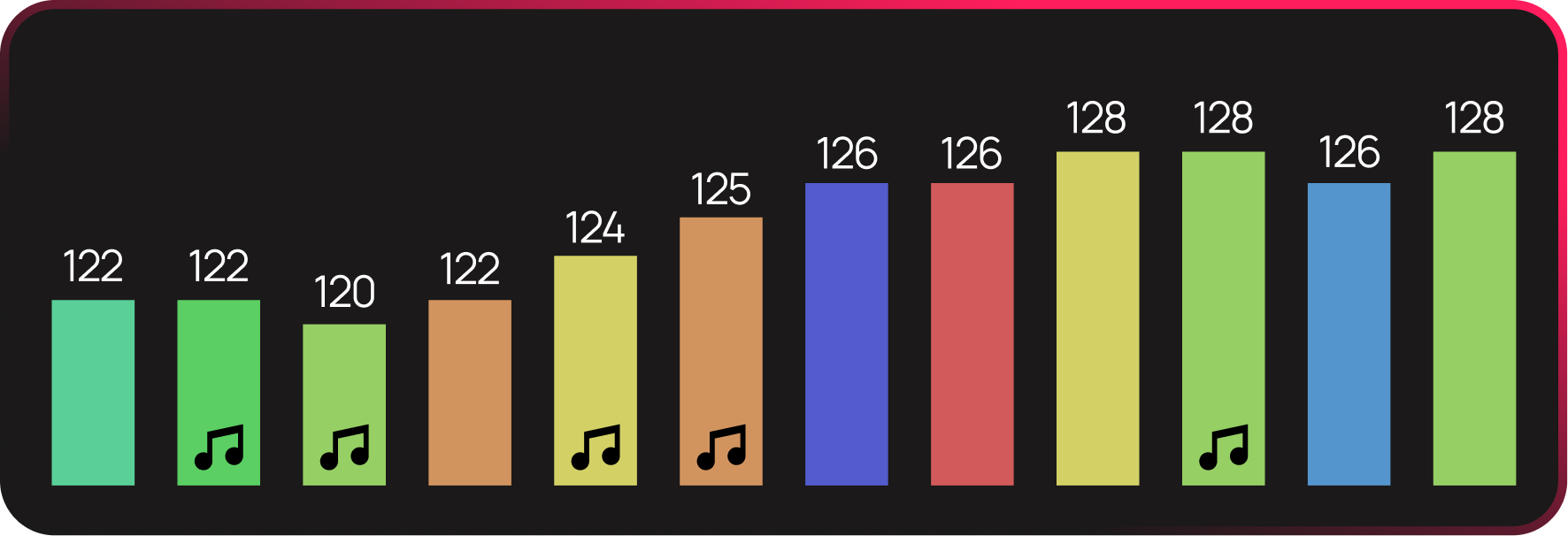
The new Track Timeline gives you a visual overview of your playlist. It shows BPM, key, energy and more across all tracks in a chart, making it easy to spot the flow of your set at a glance. The timeline is interactive so you can select tracks easily there and it updates instantly when you change key, energy, or BPM. The timeline is completely optional and you can always turn it off if you don't like it. It's a powerful way to prepare your sets visually.
History
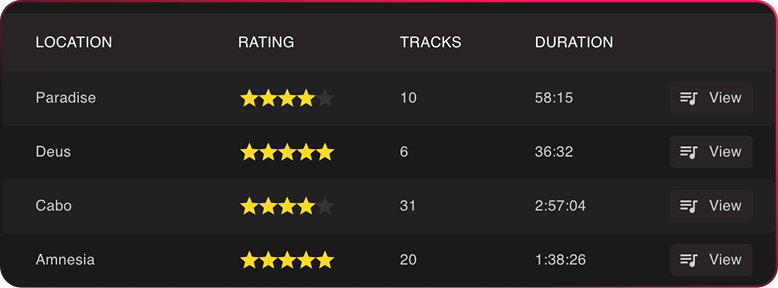
Lexicon now imports your history from your DJ app automatically. You can edit, rate and delete history sessions or add a location to it. You can view all tracks in order they were played in that history session and delete any bad tracks you don't want in there. It's a great way to keep a log of your sets.
Statistics Rework
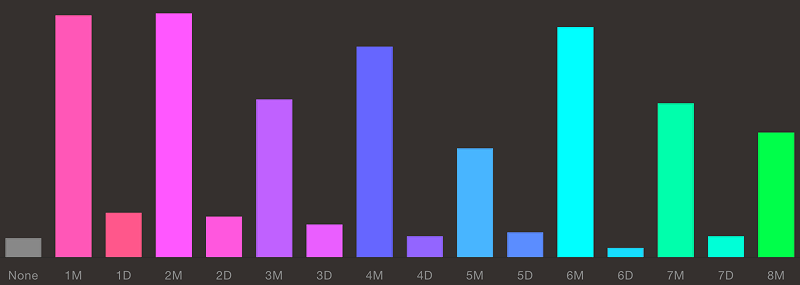
The statistics page has been completely redesigned. All charts are now clickable, so you can click on any bar or segment to instantly filter your track browser to those tracks. There's custom tag distribution with category colors, most played tracks, a library health chart, total playtime calculation and per-playlist statistics accessible from the right-click menu. It's a much more useful and interactive way to understand your library.
Upgraded BPM & Beatgrid Analyzer
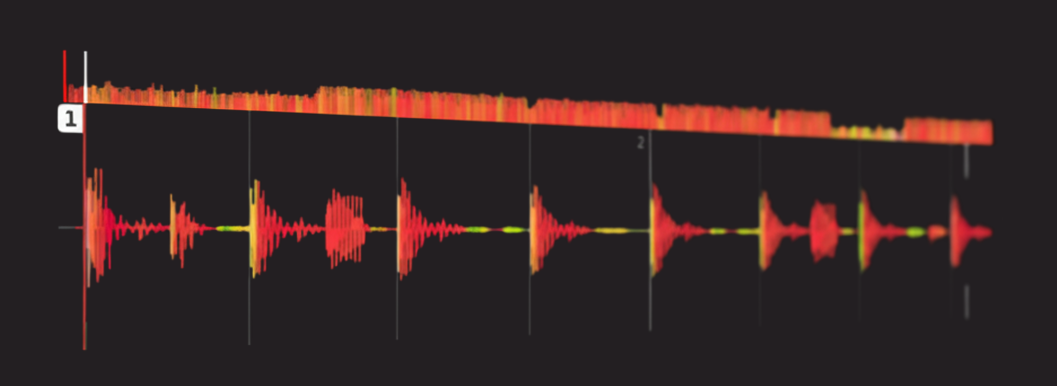
The built-in BPM and beatgrid analyzer has been upgraded with a completely new beat detection engine. The results are significantly better across the board, especially on tracks with complex rhythms. This was a major under-the-hood improvement that directly impacts the quality of your beatgrids and BPM values.
OpenKeyScan Integration

OpenKeyScan is a free, open-source key detection tool that uses AI to analyze your music and detect the musical key. It delivers results similar to industry leading paid software. It supports all common audio formats and can analyze hundreds of tracks per minute.
The best part: OpenKeyScan is completely free with no subscriptions or paywalls, and it works standalone without Lexicon. But if you do use Lexicon, the integration is seamless. You can select OpenKeyScan as your key detection algorithm right in the Lexicon analysis settings and it just works.
Find Duplicates Overhaul
Find Duplicates received a huge set of improvements. You can now edit tracks directly in the results and even edit tags without leaving the duplicate view. Manual duplicate merge now lets you copy cues without archiving. There's a new option to scan your entire library but only show results from a selected playlist, and the scanner now takes track duration into account for more accurate results. New preference options let you choose between streaming and local tracks when resolving duplicates.
Rekordbox Memory Cue Support
Lexicon now supports Rekordbox memory cues in the cue buttons. You can enable this in the settings under the new DJ app specific features option. There's also a new import option to keep duplicate cues when importing from Rekordbox, and MyTags are now supported in the Import Specific Fields popup.
Custom Tag Filters
Custom Tags got more powerful filtering. The quick filter now supports negation with the exclamation mark (!) to exclude tags, and the AND operator with tilde (~) to require multiple tags. There's also a new filter field on the Custom Tags page itself, and a special "Excluded From Sync" tag that automatically skips tracks when syncing to any DJ app.
New Music Player Look
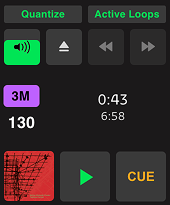
The music player got a revamp so it looks a bit more modern and streamlined. It also has a new global option `Active Loops` that enables or disabled active loops globally so you can use Lexicon as a music player without active loops ruining that experience.
Accessibility
New accessibility settings let you change the main font used throughout Lexicon, double the zoom waveform height for better visibility, and Lexicon now automatically adds borders around elements when your operating system's high contrast setting is enabled.
Track Browser Improvements
The track browser got several quality of life improvements. There's a small filter icon in the Artist and Album columns to instantly filter on that value. Filtering now ignores accented characters, so searching for "Beyonce" will find "Beyoncé". The filter algorithm has been optimized for instant results. Playlists now show track numbering, and Lexicon remembers your scroll position, filter, sort and selections when switching between playlists.
Spotify
You can now preview Spotify tracks directly and drag them into Lexicon and Spotify tracks are now converted between any DJ app that supports it.
Other Improvements
- Fixes a long standing problem where Lexicon could read the wrong set of cues from Serato files that were broken by other programs
- New Remove Cues By Label recipe
- New smartfix to remove promotional text like "Free Download"
- Recipes can now copy or move into number fields
- Casing recipes now remember words to ignore
- Undo support for deleting tracks from playlists, Cue Generator and Artist Cleanup
- New Undo popup for quick undo of the last change
- DJ app compatibility indicators in the smartlist editor
- Search field added to the Playlist/Smartlist operator in the smartlist editor
- Fuzzy Key Mixing option when displaying compatible keys
- Cloud Database Backup now shows upload and download progress
- New Move Files option under Send To
- Plugin file read, write and list support
- Panel showing available hotkeys
- SHIFT-click for multi-select in track lists with checkboxes
- Force option for the Beatshift Fixer
- New subfolder pattern "Year - Album"
- Sync now remembers the last sync per DJ app
- Playlists now remember their own sorting state
- Rekordbox Original Artist field available as Field Mapping target
- Cloud Storage usage screen now lets you easily download missing tracks
- Smart fix results are now auto-selected for faster processing
- Selected track count shown on favorited playlists
- Metronome now has volume and pitch controls
- Seeking in the overview waveform quantizes to the nearest beat when quantize is enabled
- Clicking time played now switches to time remaining
- Improved autosuggest editor visibility in the track browser
- New Playlist Occurrence utility options
- Filter field added to the Custom Tags page
Up next
Work on Lexicon 1.11 has already started and it will be a very meaningful release! Without giving away too much, I think a lot of pro DJs will like it! Let's just say it's an interesting coincidence that 1.11 only has One's in it...
